HaynesOps Home Automation
Welcome to the documentation for the HaynesOps smart home — a Home Assistant + AppDaemon automation platform running on Kubernetes.
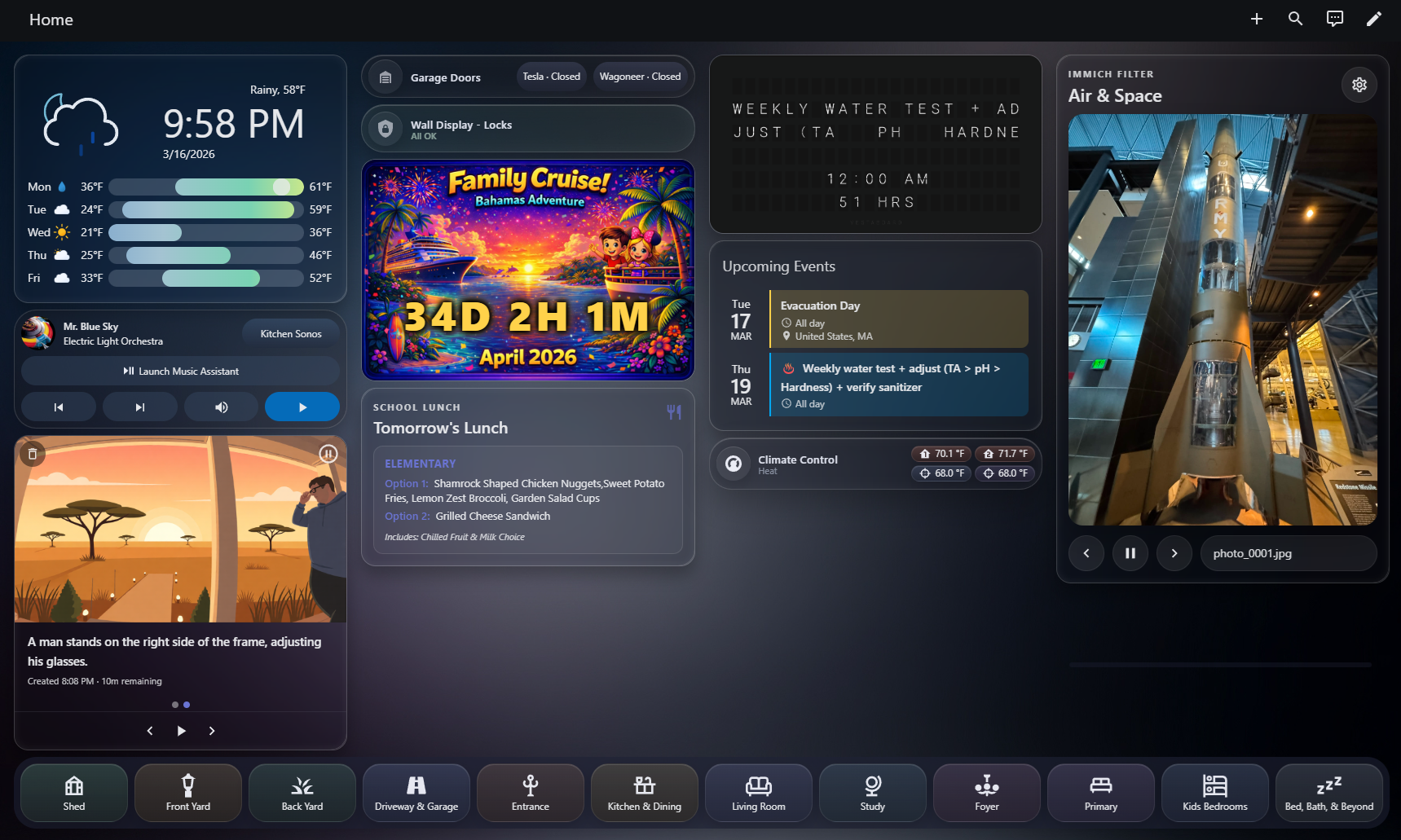
An AppDaemon-powered dashboard, driven by the code in this repo.
Highlights
- AI-powered camera notifications — motion-triggered detection with LLM-generated summaries and AI illustrations delivered as push notifications
- Occupancy-based lighting — mmWave presence sensors + Inovelli switches for automatic, zone-aware lighting across the house
- Immich photo frame — wall-mounted displays cycling personal photos from a self-hosted Immich library
- System health monitoring — proactive infrastructure checks with auto-repair for fans, printers, and the hot tub
- Custom Lovelace dashboards — purpose-built cards for wall displays, mobile, and desktop
How it works
This project has two distinct halves:
Home Assistant YAML — automations, scripts, dashboard cards, helpers, and blueprints. These are the "frontend" of the smart home: they react to device events, control lights, and render dashboards. The YAML in this repository is a mirror of what runs on the HA server — changes are copy-pasted into the HA UI editor or applied via MCP.
AppDaemon Python — backend automation apps that handle complex workflows, AI integrations, and multi-step sequences. These run in a separate Kubernetes pod and communicate with HA via its API. AppDaemon code in this repo is the source of truth — it's developed here and deployed to production.
┌──────────────────────┐         ┌──────────────────────┐
│   Home Assistant     │  API    │      AppDaemon       │
│                      │◀───────▶│                      │
│  Automations         │         │  door_notify         │
│  Scripts             │         │  detection_summary   │
│  Dashboard Cards     │         │  photo_frame_viewer  │
│  Helpers             │         │  immich_fetcher      │
│                      │         │                      │
│  Devices & Entities  │         │  AI Providers        │
└──────────────────────┘         └──────────────────────┘
         │                                │
    Physical devices              External APIs
   (switches, cameras,         (OpenAI, Gemini, Ollama,
    sensors, locks)              Immich, ComfyUI)
The AI journey
This smart home has evolved alongside the rapid advancement of LLMs in programming:
- ~2020–2023 — Everything built by hand. AppDaemon apps, HA automations, and Jinja templates all written manually. Functional but slow to iterate.
- 2023–2024 — Started supplementing complex YAML and Jinja with ChatGPT chat window questions. Copy-paste from chat into the HA editor. Huge productivity boost for one-off automations.
- 2025 — Adopted Cursor with full repo context. Automations that previously took hours were done in minutes. Added AI providers to AppDaemon apps for runtime LLM capabilities (detection summaries, image descriptions).
- 2026 — Integrated ha-mcp for direct HA entity manipulation from the IDE. Now using Claude Code and Codex CLI alongside Cursor for multi-agent development workflows. The AI isn't just helping write code — it's creating and managing HA entities, dashboards, and automations directly.
Explore
| Section | What you'll find |
|---|---|
| GenAI Camera Notifications | AI-powered detection summaries and door open alerts |
| Occupancy-Based Lighting | mmWave presence + Inovelli switch automation |
| Immich Photo Frame | Wall display photo slideshow from self-hosted photos |
| System Health Monitoring | Proactive infrastructure monitoring with auto-repair |
| Architecture | System diagram and data flow |
| Getting Started | Development environment setup |